Engineering guide
A supplier lot recall should not begin with spreadsheets.
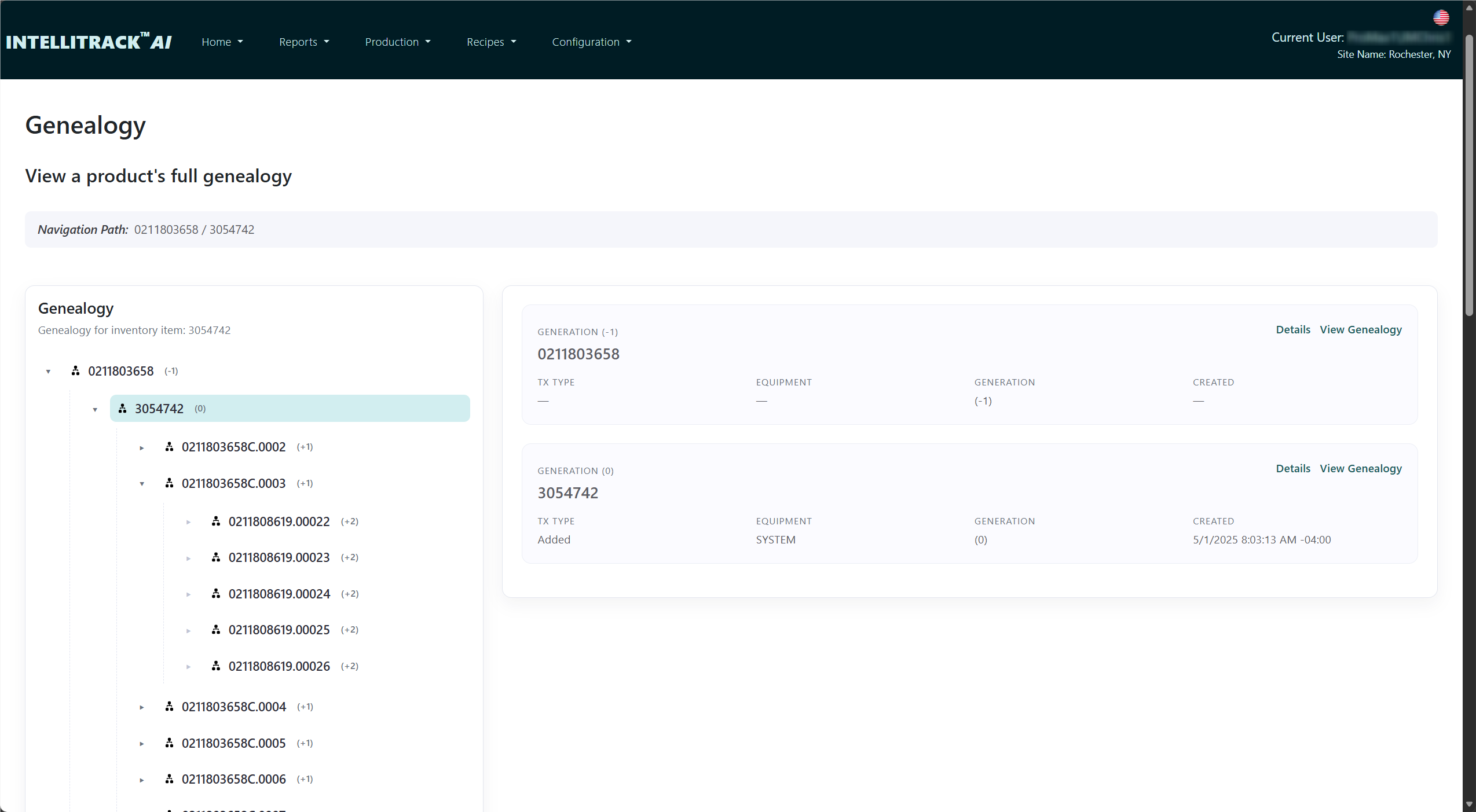
When a supplier flags a material lot, the first question is which products used it. A useful genealogy record links receipt, consumption, assembly and finished product identities.
Capture the relationships when the work happens
At receiving, identify the supplier and material lot. At assembly, record which component or lot was consumed by which parent product. At test and pack-out, preserve the operation result and any subsequent parent-child relationship. These records let the investigation follow the actual path of material.
The precision of the answer depends on what the plant collects. Lot-level consumption may identify a larger affected population than serialized component consumption. If a station does not report its genealogy relationship, the software cannot reconstruct that relationship reliably after the fact.
What happens during an investigation?
- Start with the supplier lot or one affected serial number.
- Follow recorded material and assembly relationships in both directions.
- Review the production and test history of the affected products.
- Apply containment and disposition under an approved process.
- Confirm that shipping and machine interfaces enforce the intended status.
Walkthrough example
- ReceiveA supplier lot is associated with the incoming components.
- AssembleThose components are linked to the products that consumed them.
- InvestigateA lot query identifies candidate products for quality review and containment.
Illustrative process, not a claim about a specific customer installation.
How IntelliTrack™ fits
IntelliTrack™ supports production genealogy, process records and quarantine workflows. Production rules and shipping checks can use configured product states, subject to the machine and ERP integrations.
For a meaningful demonstration, bring a sample assembly structure, the serial-number rules and one real containment question. We can review which recorded relationships are required to answer it.
See how it fits your equipment and process.
Bring the controller, product or quality requirement you need to evaluate. We can review the workflow, interfaces and limits.