Before work starts
Check operation eligibility, routing, recipe context, work-order rules, product status and material expiry where applicable.
IntelliTrack™ / Manufacturing execution & traceability
Connect each unit or lot to its operations, materials, recipes and results. Investigate quality and apply configured rules before work continues or product ships.
01 / Investigate the record
Follow the recorded relationships instead of rebuilding the story from controller logs and spreadsheets.
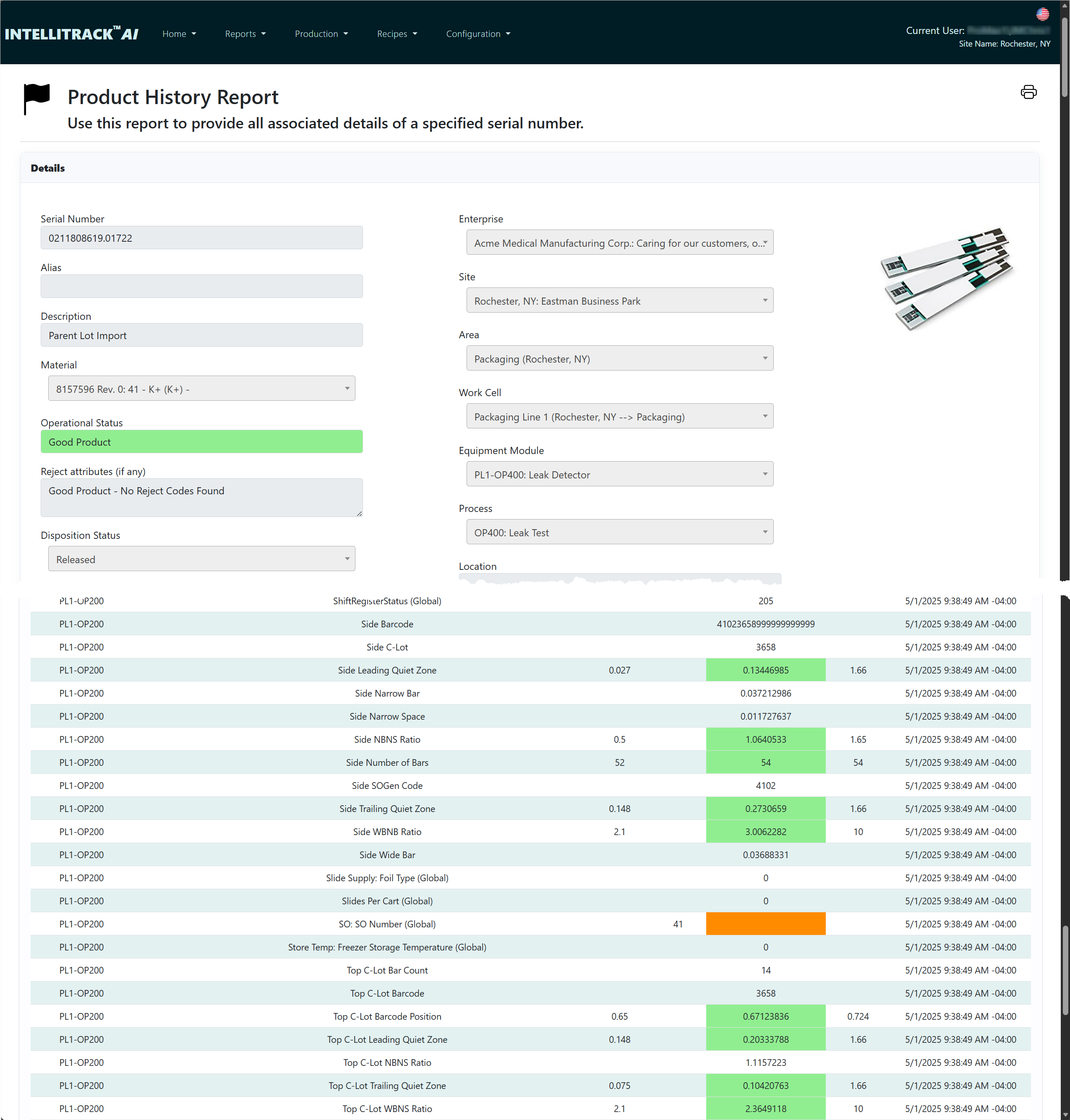
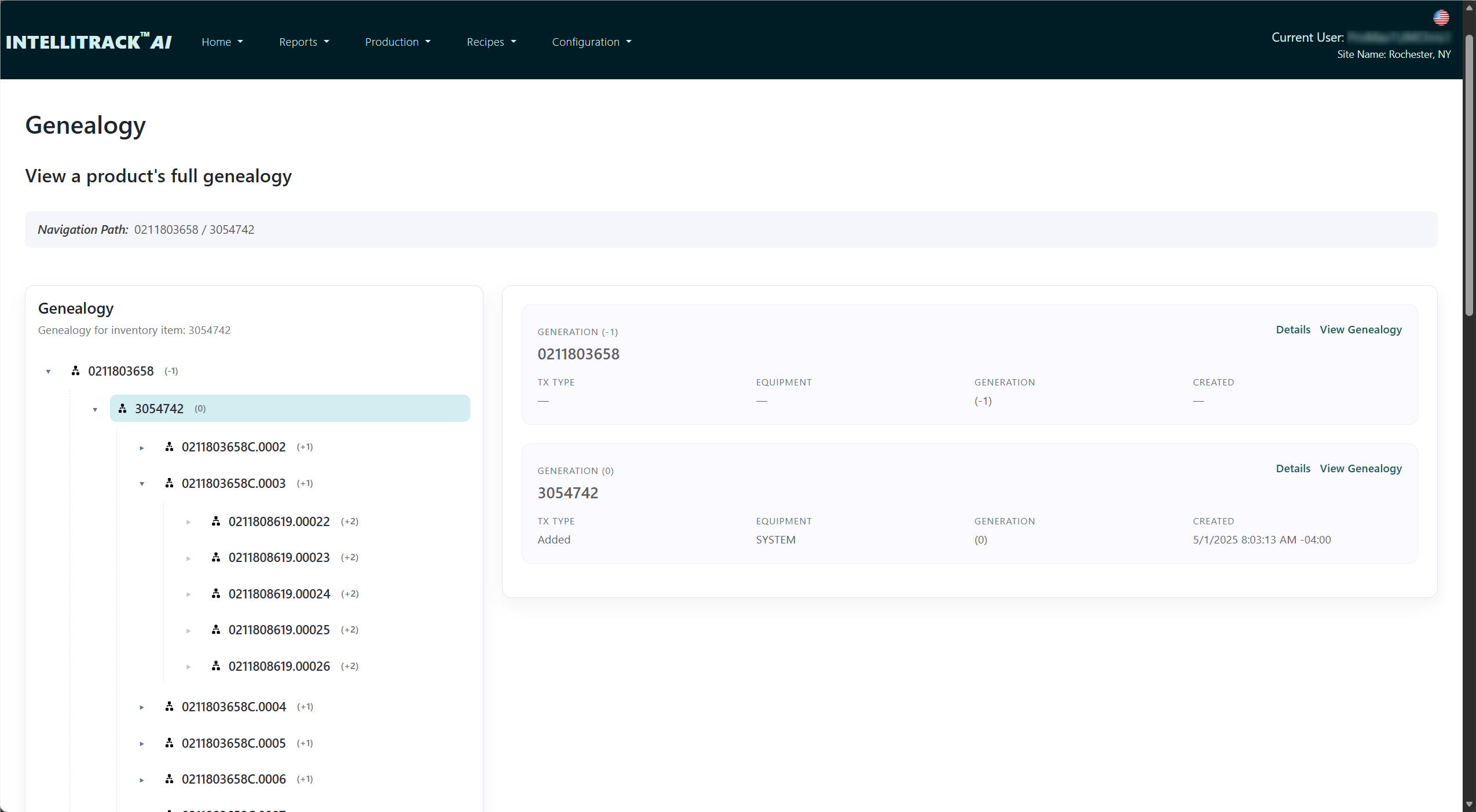
Trace a finished unit back to its components and material lots, or explore where a suspect item was used. Inspect the operations and process values behind the result, then manage quarantine and disposition.
Traceability depends on the identities, consumption and production events captured by your integration.
02 / Enforce while it’s cheap
A record is more useful when it can influence the next operation. IntelliTrack™ checks configured conditions at production check-out, check-in, component consumption and shipping verification.
Check operation eligibility, routing, recipe context, work-order rules, product status and material expiry where applicable.
Evaluate required attributes and limits and check required components at the relevant production step.
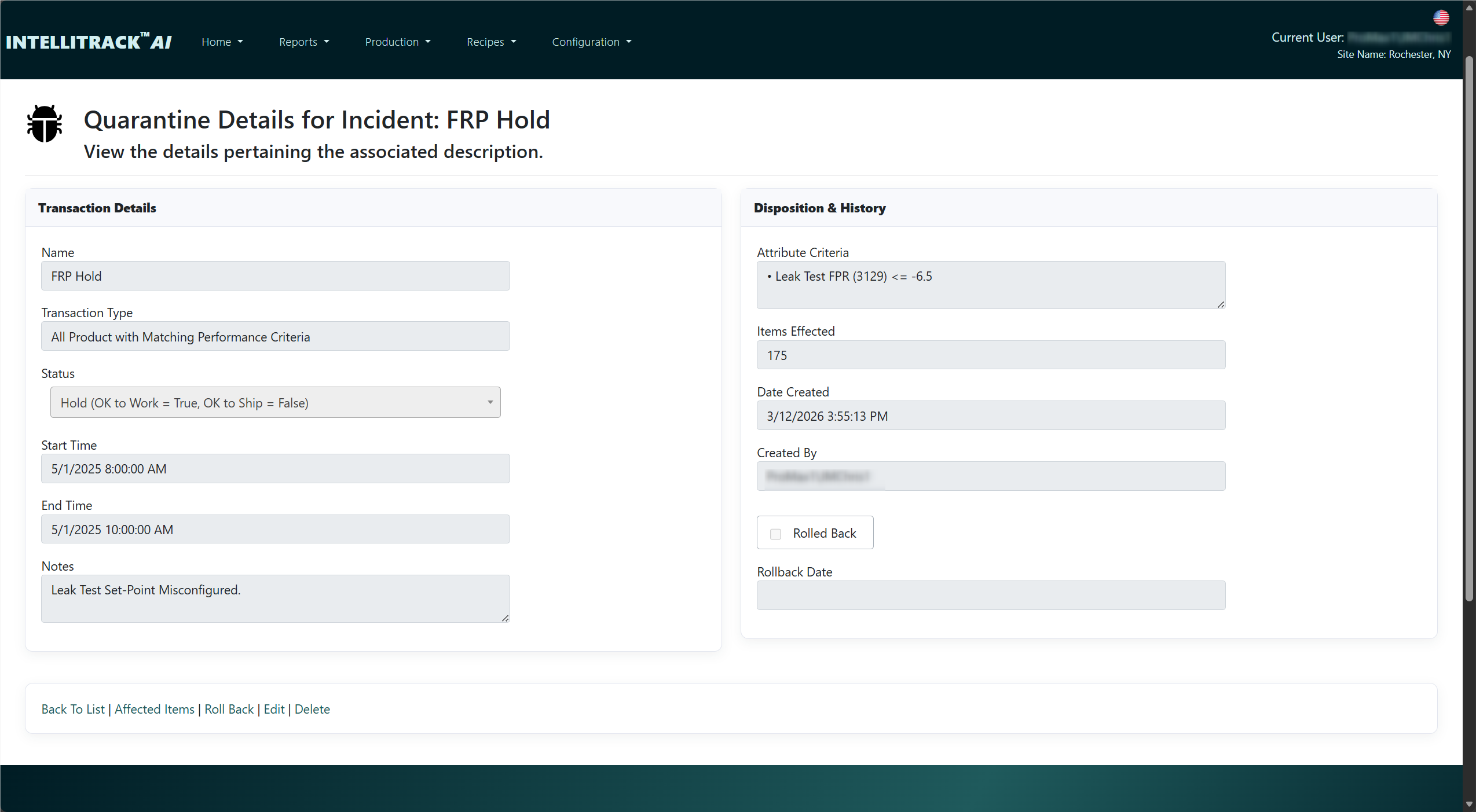
Verify shipping eligibility and the effect of holds or disposition before releasing product.
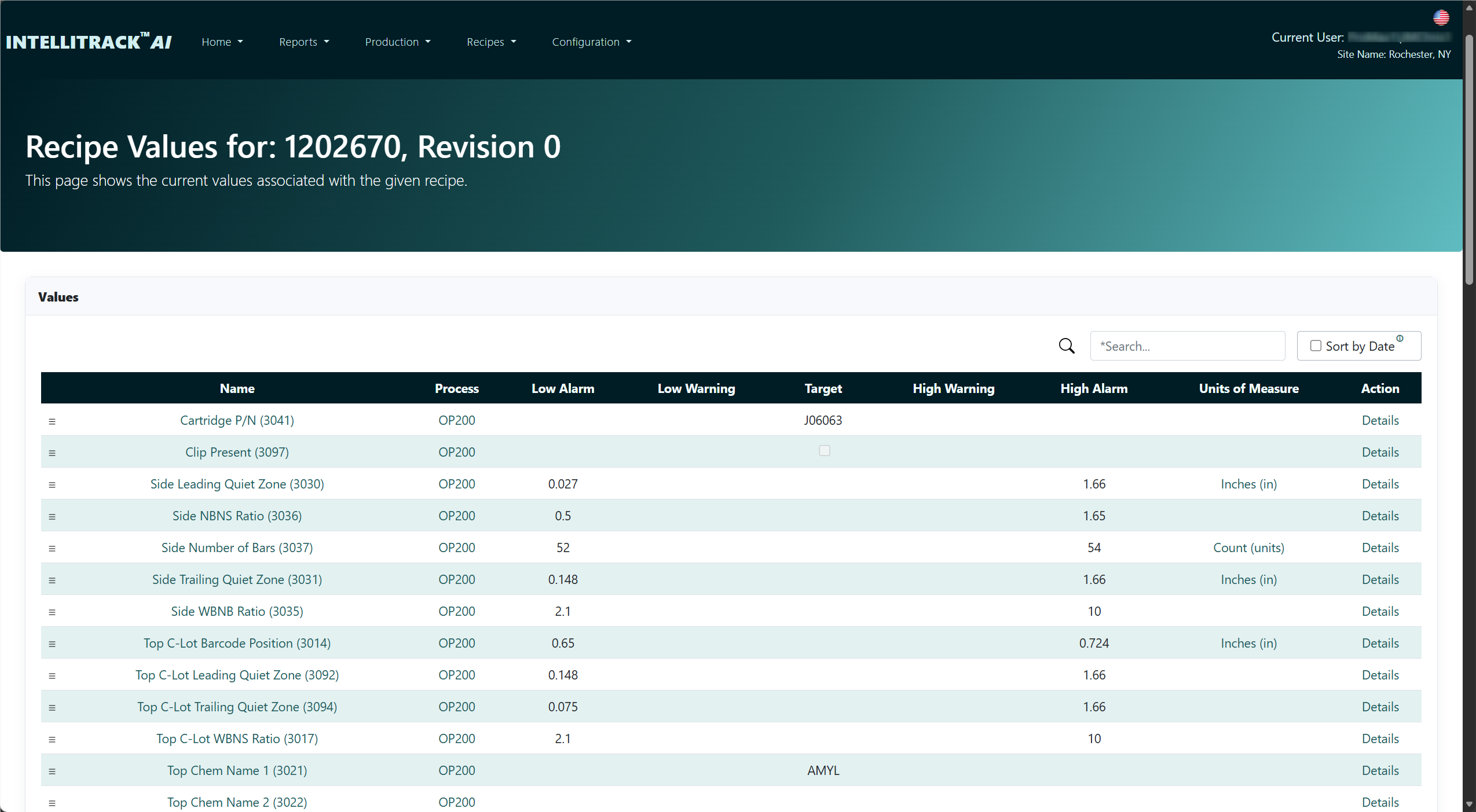
Your process configuration and machine integration determine which checks apply and how the equipment responds. A software rejection only prevents movement when the control sequence honors it.
For example, a Hold blocks shipping but does not inherently block work. Static BOM and dynamic BOM checks apply at different points in the workflow.
Evaluate recipes, BOM enforcement, OEE and the complete workflow →03 / Preserve the context
That context supports product history, WIP, OEE and quality reporting — and gives AI a defined record to work from.
04 / AI grounded in reports
AI Insights can use manufacturing reports the user is permitted to access and link answers to the saved report runs used.
Explore a change in yield, throughput or equipment behavior, then inspect the underlying report. Treat the response as an analysis to review, with the evidence available for checking.
AI assistance is optional. Provider calls send permitted context outside the application to the configured provider. Core production, traceability and reporting do not require an AI provider.
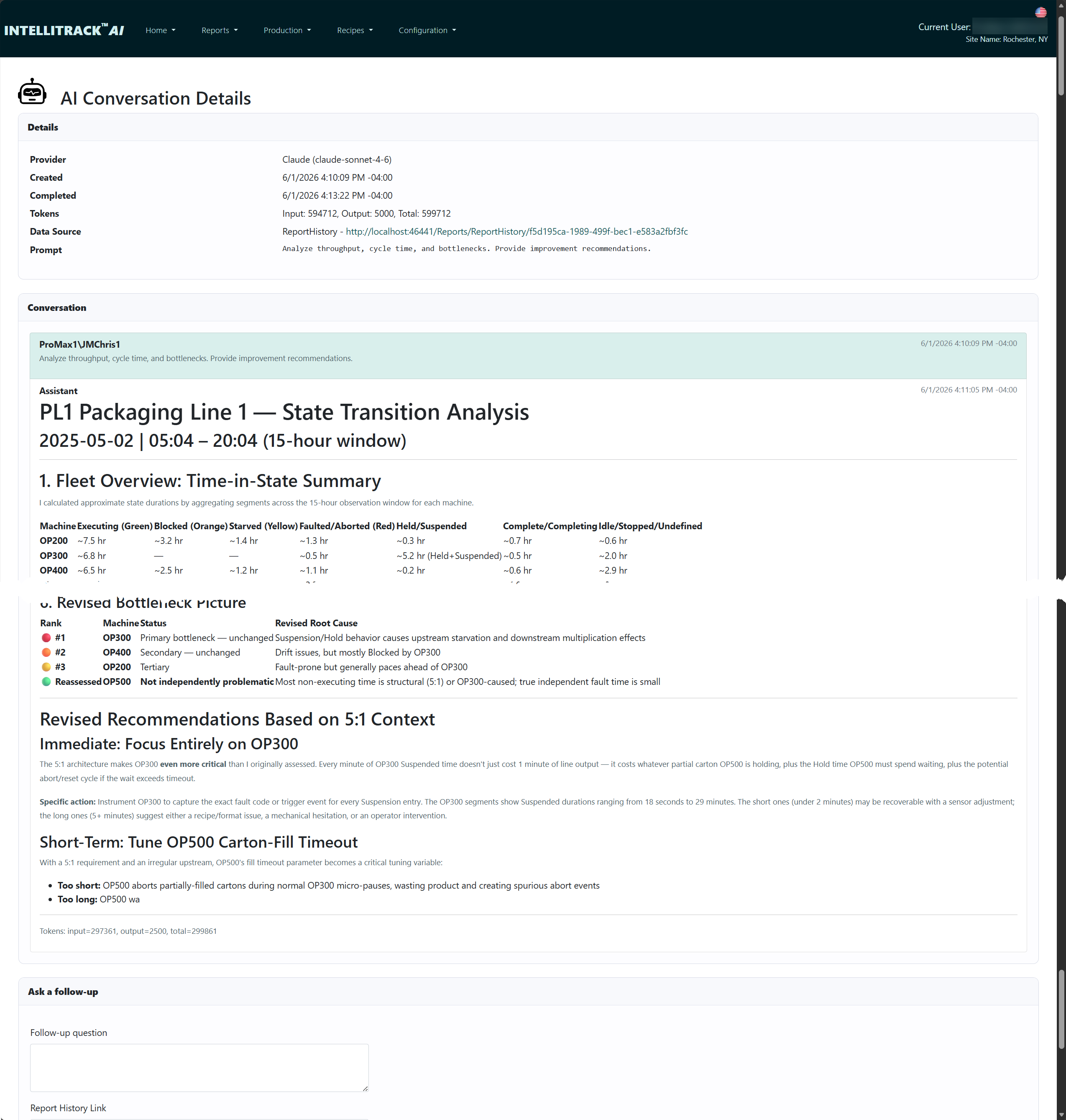
Google Gemini, xAI and MCP Agent Access are scheduled for October 16, 2026. Include provider choice and external-agent access in your IntelliTrack™ evaluation.
05 / For regulated manufacturing
Start with a version-specific validation library, reusable tests and a Coverage Register. Generate draft packages from your User Requirements Specification (URS).
Electronic signatures, role controls, audit trails and tamper-evidence verification support controlled workflows. Their suitability depends on your configuration, procedures and validation.
Generated packages are drafts. They do not execute tests, mark them passed, or establish regulatory compliance.
Review your validation workflow06 / Fit & deployment
Serialized assembly and test, material genealogy, recipe-controlled operations, and plants where quality investigations span several systems.
A Windows-hosted web application with SQL Server data storage. Scope authentication, backups, retention and network access with your IT team.
Connect equipment and ERP workflows around the production record. Agree on identifiers, data ownership, interfaces and failure handling before implementation.
Event Engine® can handle controller-to-database events in a combined solution. Whether it is required depends on your equipment and existing integration. We’ll review that architecture with you.
Yes. Core execution, traceability and reporting do not require provider-based AI. The Document Library is also available without AI; AI-assisted package generation requires a configured provider connection.
Why Factory Data Systems
We built these products from the integration problems we kept meeting on the plant floor. Our starting point is your process, the evidence you need, and the systems you already run.
Work directly with FDS or through your system integrator. Discuss the configuration with an engineer, define what success means, and evaluate it against your own production requirements.
Meet the company and our principles →Start with one problem
Bring an example product, a traceability gap or a production rule you need to enforce. We can walk through the relevant workflow and discuss the integration it needs.